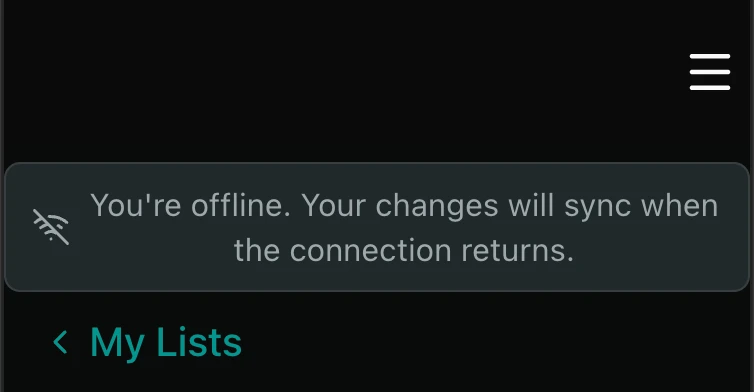
Our strategy for handling the offline state depends on the type of application we’re building. If a user steps into an elevator and loses their connection, it can be annoying that they can no longer read the latest message or article. At the same time, they’ll understand why they can’t initiate a financial transaction. Even within a single application, some features can reasonably be supported offline while others can’t. Let’s look at how we can keep the ones we want to keep. For this, we can reach for the tools of Progressive Web Apps (PWA), such as the service worker, the browser cache, and IndexedDB.
What Is a Service Worker?
A service worker is essentially a JavaScript file that our code registers, and it acts as an intermediary (a proxy) between the code running in the browser and our server. For example, it can intercept calls made to the server and decide what to do with them. It can check whether the requested content is already available in the browser cache or in the browser’s own storage. If so, it can return the previously cached data while still forwarding the request, so the stored data can be refreshed with the latest response. This stale-while-revalidate strategy can also be used to improve performance, but it becomes truly interesting when we temporarily get no response at all — when the internet connection drops or becomes very weak.
A service worker can only be used on a page served over an encrypted connection (HTTPS), because it gains control over every future request made from that origin — so if it were ever hijacked, a successful attack would grant persistent access (within the given scope) rather than just a one-time data leak.
The service worker runs on a separate thread and responds to browser events. When a new version is released, the browser downloads and installs the new service worker, but it doesn’t immediately replace the old one. Any pages that are currently open continue using the old version, and the new one is activated only after the old one is no longer controlling any pages, which is usually when you close and reopen the application. Alternatively, the update can be activated manually, either through DevTools or via an in-app update prompt. Since users don’t always know what to make of that prompt, it’s often better to just wait for the next page load.
Setting this up can be simplified with packages tailored to our stack — for example, vite-plugin-pwa for a Vite application, which is built on top of Workbox. Once the Vite config is extended accordingly, registering the service worker is essentially a single function call:
useRegisterSW()compared to the manual approach — adapted from Maximilian Schwarzmüller’s PWA course — where we listen for events ourselves:
self.addEventListener('install', function (event) {
  event.waitUntil(
    caches.open(CACHE_STATIC_NAME)
      .then(function (cache) {
        console.log('[Service Worker] Precaching App Shell');
        cache.addAll([
          '/',
          '/index.html',
           ...
        ]);
      })
  )
});

self.addEventListener('activate', function (event) {
  event.waitUntil(
    caches.keys()
      .then(function (keyList) {
        return Promise.all(keyList.map(function (key) {
          if (key !== CACHE_STATIC_NAME && key !== CACHE_DYNAMIC_NAME) {
            console.log('[Service Worker] Removing old cache.', key);
            return caches.delete(key);
          }
        }));
      })
  );
  return self.clients.claim();
});
Static and Dynamic Data
For a feature to keep working offline, we need more than just cached API responses — we also need the static assets we normally fetch from a server: index.html, CSS files, fonts, and so on. We call this the app shell, and we can store it in the Cache Storage. For storing dynamic data, we can use the browser’s own database, IndexedDB, which currently has around 96.92% global browser support (it’s not available in Opera Mini).
IndexedDB
It’s an object store where we can save key-value pairs (NoSQL), but unlike localStorage, it doesn’t require serialization — different data types can be saved without any conversion. As the name suggests, we can also define indexes for faster lookups. It supports transactions as well, though that comes with a bit of overhead. It’s not complicated to use, but it can be simplified significantly with helper packages like idb-keyval. Storing a piece of data looks like this:
await set(storeKey(postId), [...pending.entries()])What to Watch Out For
It’s not worth taking on too much at once. With offline support, we always need to keep in mind that although data stored in the browser is scoped to our domain, it is freely accessible and modifiable by the user. Any data stored in the browser should be treated as client-controlled. Users (or malicious scripts running in the page) can inspect, modify, or delete it, so it should never be trusted as authoritative. So if we’re storing data that we intend to use to update our own database once the connection returns, we should only do this in areas where that doesn’t carry serious risk. We can probably get away with caching that a user checked off a to-do item — but not who they wanted to transfer money to, or how much.
The other thing worth keeping in mind is how much complexity we’re willing to take on. Once we allow certain operations offline, we need to handle what happens when the connection comes back, what happens if the deferred execution fails, and what other processes it might collide with. Tracking and properly cleaning up a queue of tasks on the frontend can lead to edge cases that don’t show up during normal testing.
The Background Sync API offers a partial native solution to this: through the service worker, we can register a sync event that the browser will automatically retry once the connection is restored, so we don’t have to listen for the online event ourselves and manually re-run deferred operations. Support is inconsistent, though — Safari and Firefox don’t implement it — so for now it complements rather than replaces hand-written retry logic.